In progress for 2026
-
Gather And Grow
It’s a safe and welcoming space for
Racialised minorities with Supportive conversations and Help with accessing services and activities -
No judgement, just support
-
NoticeBoard
This is our Notice Board. Its still work in progress.
This can be filtered by category Reviews, PR and Community Wins etc.
You will notice it is similar to the Frequently Asked Questions (FAQ) page,
but making it filterable and work well on mobile was tricky.
The next bit was making it Data Driven, which means a DataBase and extra cost.
-
Press/Media Pack
That is “If a journalist had 5 minutes to understand me/my story/my brand, what would help them write a piece fast and accurately?”
Press Pack and a Press Release are different.
Where as a Media Pack,is the press pack plus all the assets (images, logos, video, ad specs, audience stats)
aimed at media, partners, sponsors, influencers. For anyone creating content, promotion,
talking about you (media, sponsors, partners, event organizers, influencers).
Asset + implementation driven: “Give me what I need to feature you quickly and on-brand.”
Search Engine Optimization (SEO)
This helps Google find our website and pages.
Once this is data driven (stored in a database)
and rendered on the webpage consistently, to the same quality.
It can also create meta content that humans never see but is for google,
this to can be data driven.
Stored in a database
Once this is data driven (stored in a database)
and rendered on the webpage consistently, to the same quality.
This adds additional cost and complexity,
and moves towards a Content Management System (CMS) approach.
Which means, logons, access controls, security.
This is means if you add a photo to your post and you dont optimize it,
you can run out of web space and the web pages takes ages to load.
Once content is stored in a Database it can be searched.
Mobile/Desktop switching
Add a choice to chose between it loading fast or it loading pretty.
This is why there are two versions of the website one with a soft yellow background (like this one) which is Text Heavy (just the facts)
and light on pictures because that shows down the page, as mentioned on our Accessibility Statement.
So there is a trade off between how fast a page loads to what is on it,
so there will soon be plant to have a Mobile friendly version (yellow back ground)
or a iPad/desktop version for faster internet connections.
AGM Press Release
-
Older People’s Council supports need for an Older People’s Commissioner
The Older People's Council (OPC) for Brighton & Hove held this year’s annual AGM at the Friends Meeting House last Tuesday, 7 October, and welcomed Jo Clarke from Age Uk to speak on ageism and the case for an Older People’s Commissioner in Government to represent older people in England.
Currently, only Wales and Northern Ireland have such a key role in place to advocate for older people; provide policy oversight; ensure proper co-ordination between governmental departments in terms of older peoples’ needs; ensure proper public engagement in consultation with older people; and to hold the government to account in terms of commitments made.
It was noted during the following debate that by 2040, 1 in 4 people in the UK will be over 65. Therefore, it is essential that these people, many of whom currently feel invisible, have better representation when it comes to policy and decision making that will affect quality of lives and ensure that more older people are included in public life.
The need for such a role was well received within the group and further suggestions included the possibility of starting more locally to call for a Sussex Older People’s Commissioner as a first step, particularly in light of the incoming devolutionary plans for Sussex next year.
December 2025
-
Did you know
Now with more info on What is a QR code and how to use it.
This also links to Hackney Council doing a video on where thet are on Bus Stops, signs and anywhere further information can be placed.
This is part of Digital Integration, and Digital Convergence.
The Digital Exclusion and
Physical Inclusion
-
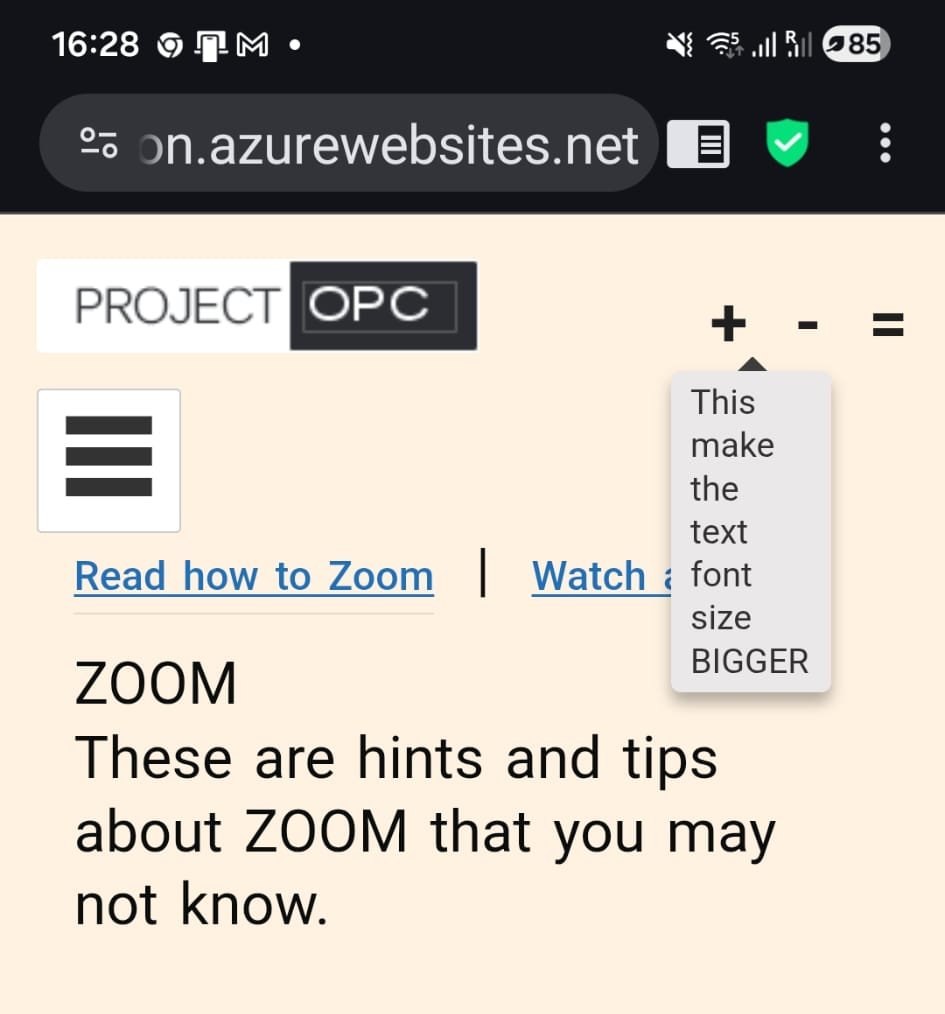 ToolTips
The tool tips and menus now appear to the centre of the screen so thet can be better seen.
The 3 bars on the Left Hand Side (LHS)is the menu button, often referred to as a 'Hamburger'.
This only appears on Mobile Phones and is a way to managed with limited Screen space.
-
Physical Inclusion
Not everyone is comfortable with technology, some have physical barriers to technology
eg blind people using council website and "The Computers Says No!"
The council removing all telephones from the office thus excluding the public from access to any form of customer service.
The other scenario is for Parking; where Pay-By-Phone/Pay-By-App is in a Mobile Signal Black Spot,
and of course you only get the second letter telling you that you did not pay the fine.
This then leads to Social Isolation
-
Digital Exclusion
This has been extensively updated.
This now covers additional barrier such as:
External Barriers | Cognitive Barriers | Neurodivergent Barriers | Accessibility.
In addition, a page on Technophobia that dives deep into some of the mental barriers people have to tech.
-
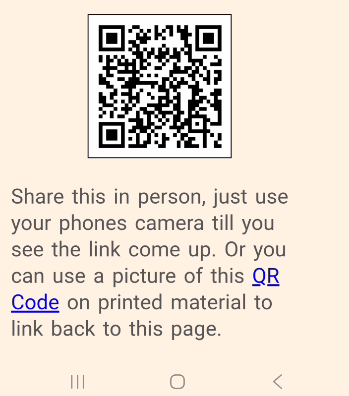 Bottom of the page QR code
We have now added at the bottom on the page a QR code, that allows you more ways to share this page with other mobile phone users.
Hackney Council have created a video on where they are found on Bus Stops, signs and anywhere further information can be placed.
You can watch the video Here
-
How to Zoom
This is about how to use Zoom to access Hybrid meetings.
Many seniors feel unsure about their ability to use technology effectively,
often fearing they might "break" something. Apps, websites, and devices often have cluttered layouts, small text, or too many options, making them overwhelming. Then add poor vision, reduced motor skills, or hearing difficulties can make devices harder to use without accessibility adjustments.
-
Tech for Seniors
This has introduced sortable columns, so you can sort by title or description.
Here, we have gathers bookmarks into web sites such as Senior Focus, whose mission is to deliver trustworthy, practical advice on health,
fitness, and diet tailored specifically for seniors.
Their expert-reviewed articles offer clear, friendly guidance to support an active and balanced lifestyle.
Whether you’re managing a health condition, seeking everyday wellness tips, or looking for the right senior-friendly products,
our content is crafted to be both engaging and easy to understand.
Search Engine Optimization (SEO)
Again Very Time Consuming. This helps Google find our website and pages.
At the moment it's all hand-crafted, every bit of the site is Web Content Accessibility
Guidelines(WCAG) compliant as laid out in our Accessibility Statement.
Adding SEO means the content needs to be data driven (stored in a database)
and rendered on the webpage consistently, to the same quality.
Web Page Optimization
The website needs to load quickly. This is because the 4G/5G is brighton is so hopeless.
This is why there are two versions of the website one with a soft yellow background (like this one) which is Text Heavy (just the facts)
and light on pictures because that shows down the page, as mentioned on our Accessibility Statement.
So there is a trade off between how fast a page loads to what is on it,
so there will soon be plant to have a Mobile friendly version (yellow back ground)
or a iPad/desktop version for faster internet connections.
-
Agenda and Minutes
This now can have notice board updates on the bottom of up coming dates that are help in a google docs,
along with the Agenda and Minutes